
FusionDock Max 2
Other Troubleshooting Guide
Navigate display issues with your FusionDock Max 2 using our comprehensive guide. Discover easy-to-follow solutions for common problems like no video output, screen flickering, and connectivity challenges, specifically tailored for Apple silicon MacBooks.
Last updated: Sep 2025
1. Sharing Wired Network Among iPhone, iPad, and Mac Devices
1.Ensure device compatibility
Step 1: Go to System Settings → type "Internet" in the search bar → click "Internet Sharing".
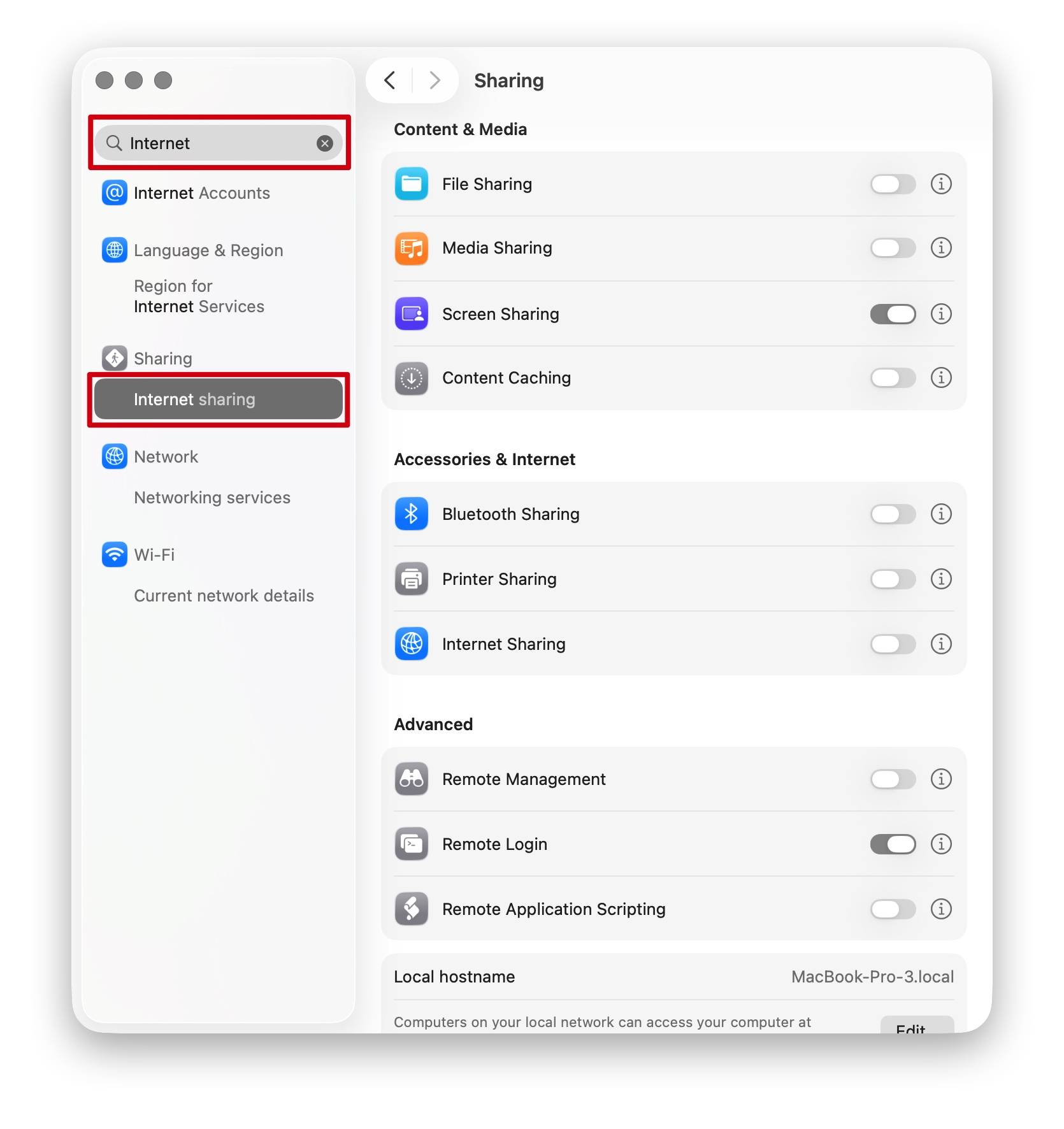
Step 2: Click the exclamation mark (!) next to the option.
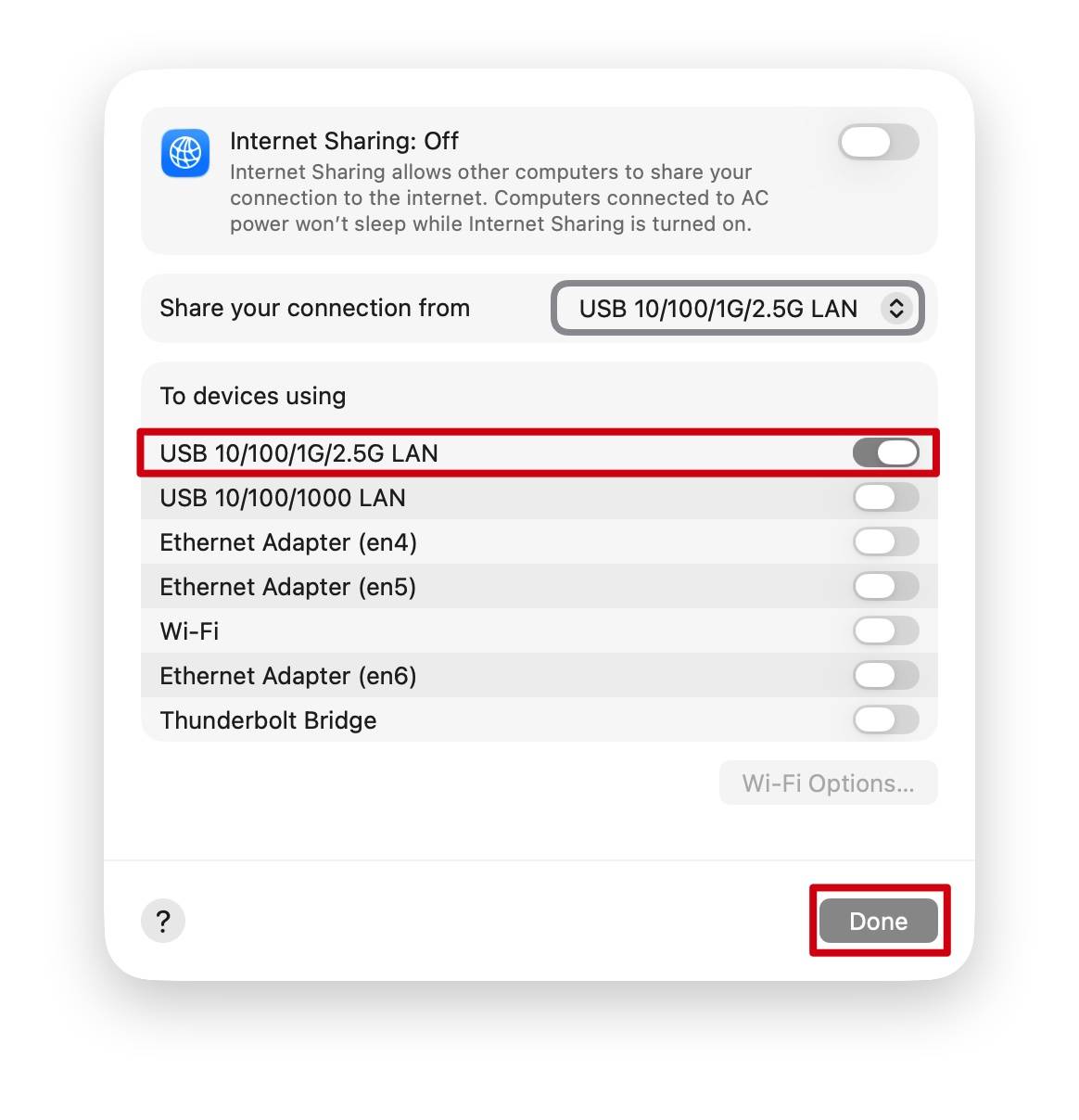
Step 3: Check the devices you want to share the network with, then click "Done".
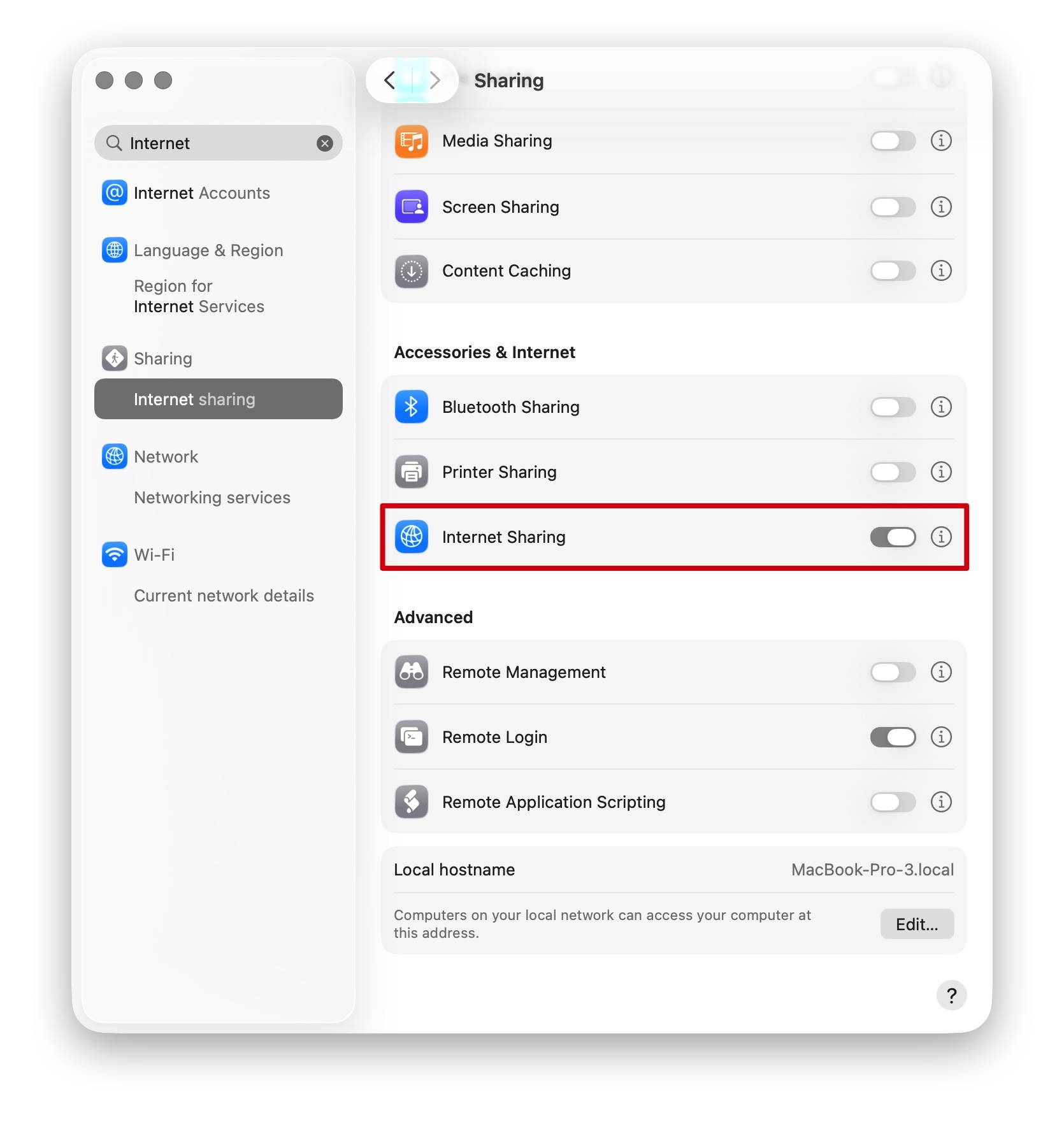
Step 4: Turn on "Internet Sharing".
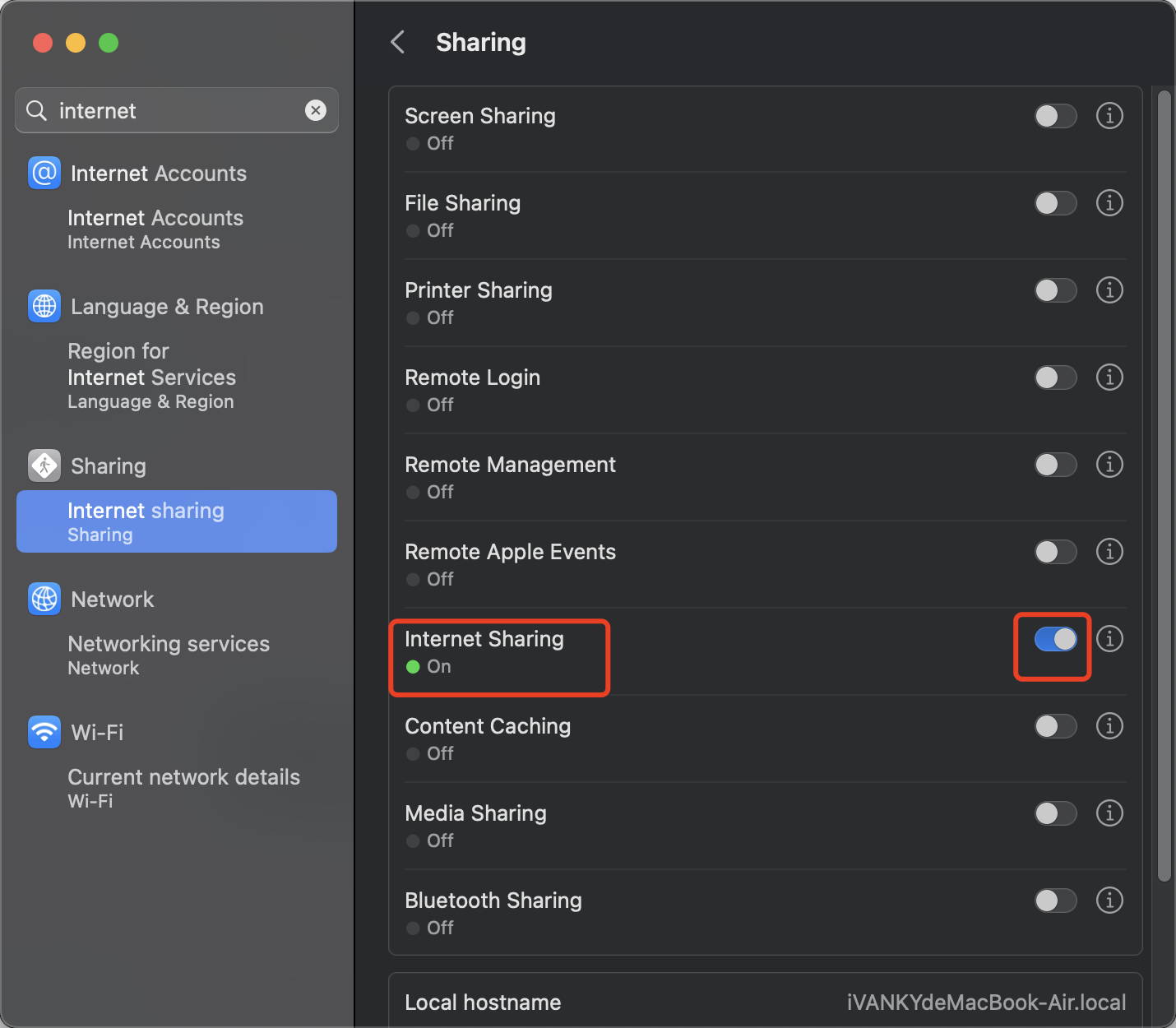
Step 5: Wait a few seconds, then confirm that devices connected via VCD10 can access the internet.
2. VCD20 Compatibility with iMac
VCD20 supports the following iMac models: two 2021 models, two 2023 models, and two 2024 models.
Note: Except for the 2024 models with four Thunderbolt ports, all other supported iMac models (2021 and 2023) can only output to one external display when using VCD20.
If you encounter any issues while using the docking station please contact iVANKY technical support.
Email: support@ivanky.com
When contacting iVANKY technical support for technical issues, please provide the following information:
a. Your docking station serial number.
b. Your current macOS version.
c. Model of your MacBook.
d. Description of the issue and the devices connected to the dock.